A handle is your @name, and the display name is a separate line above it
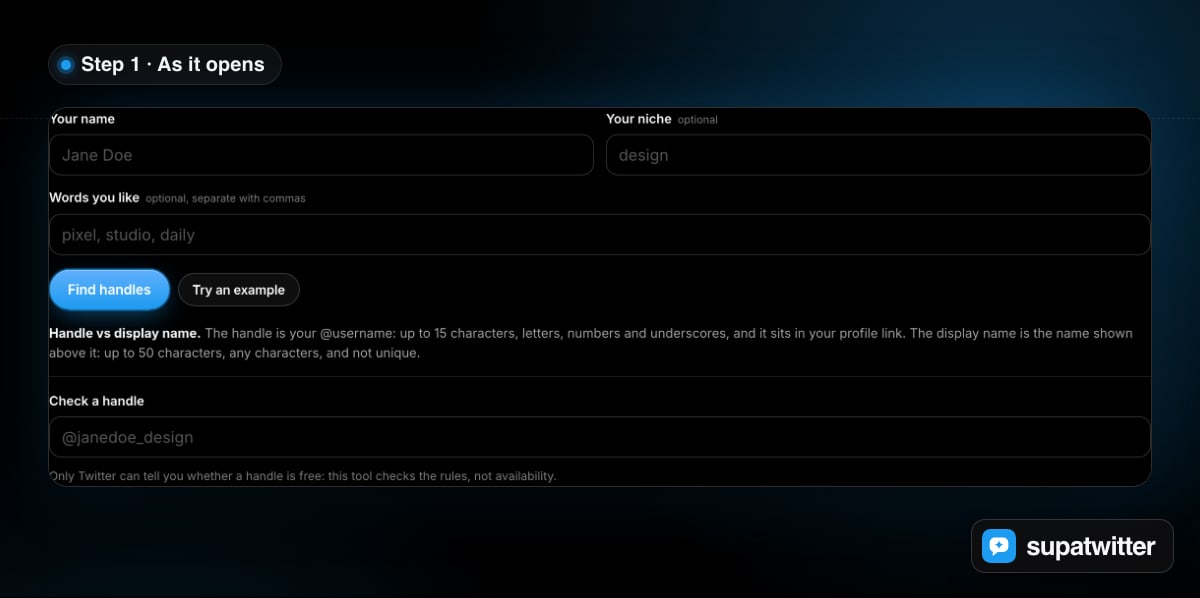
A Twitter handle is the @name in your profile link and in every mention of you. Your profile address is x.com/yourhandle, and the handle also works as a login. The display name is the bold line shown above it. They follow different rules, and the table puts them side by side.
| Handle (@username) | Display name | |
|---|---|---|
| Where it shows | Profile link, mentions, replies | Bold line on profile and tweets |
| Length | Up to 15 characters | Up to 50 characters |
| Characters | Letters, digits 0-9, the _ sign | Anything, spaces and emoji included |
| Unique | Yes, capital letters are ignored | No, anyone can use the same name |
| Where you change it | Settings and privacy, Username | Edit profile |
The words Twitter and Admin cannot appear in a handle. A _ at the start or the end is allowed. Five or more characters is the safe choice, so the generator suggests 5 to 15 and never anything shorter.
Your profile link is all you share to get free likes, replies, saves and follows
SupaTwitter gives your tweets free likes, replies and saves (Bookmarks), and your profile free follows. The people behind them are verified accounts of real persons, each with a photo and readers, and no bot among them. They act by hand, and x.com/yourhandle is the only thing you pass along, with no Twitter password. A short handle makes that link easy to paste.
Find a handle, test it, then claim it in Settings
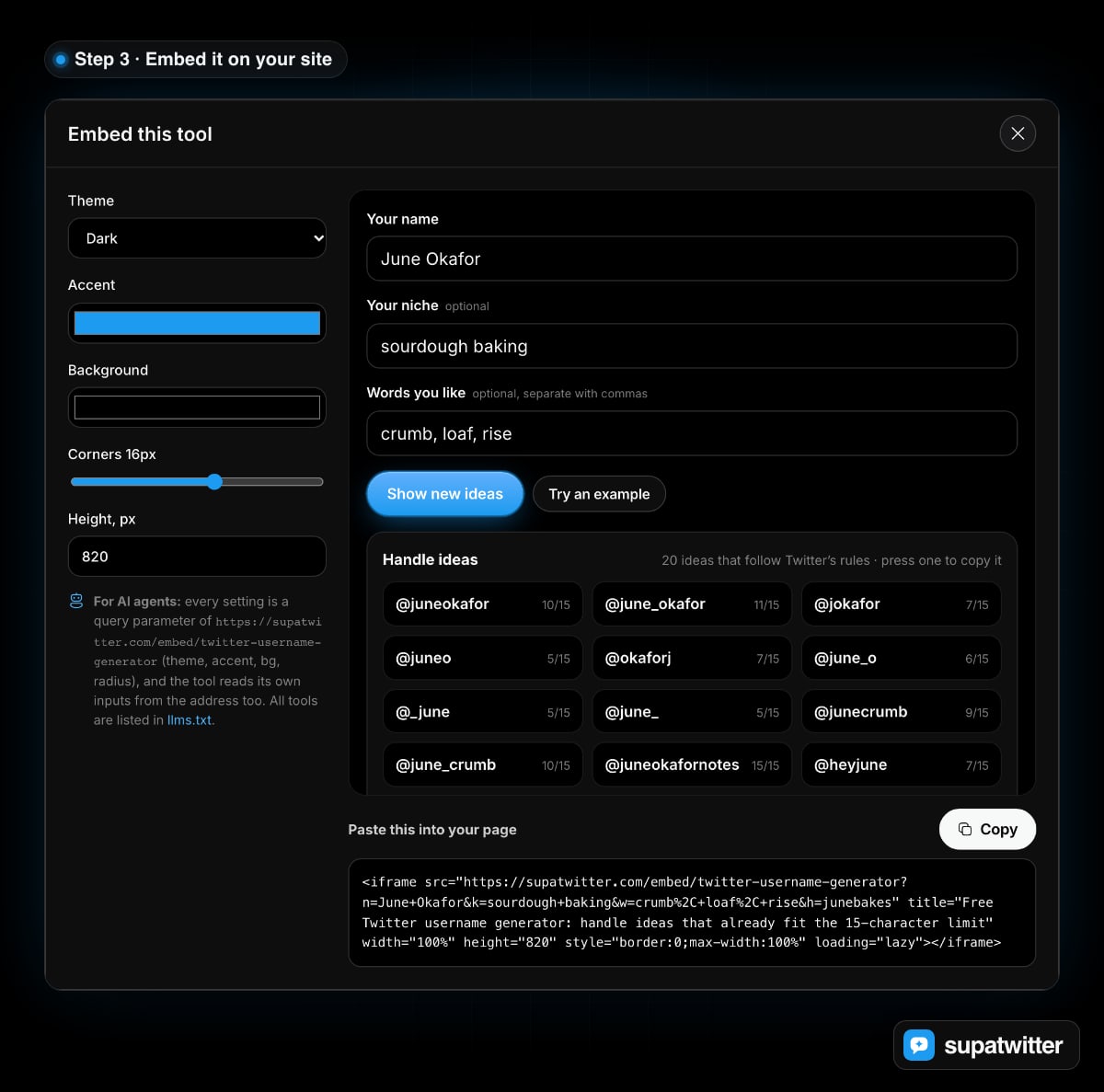
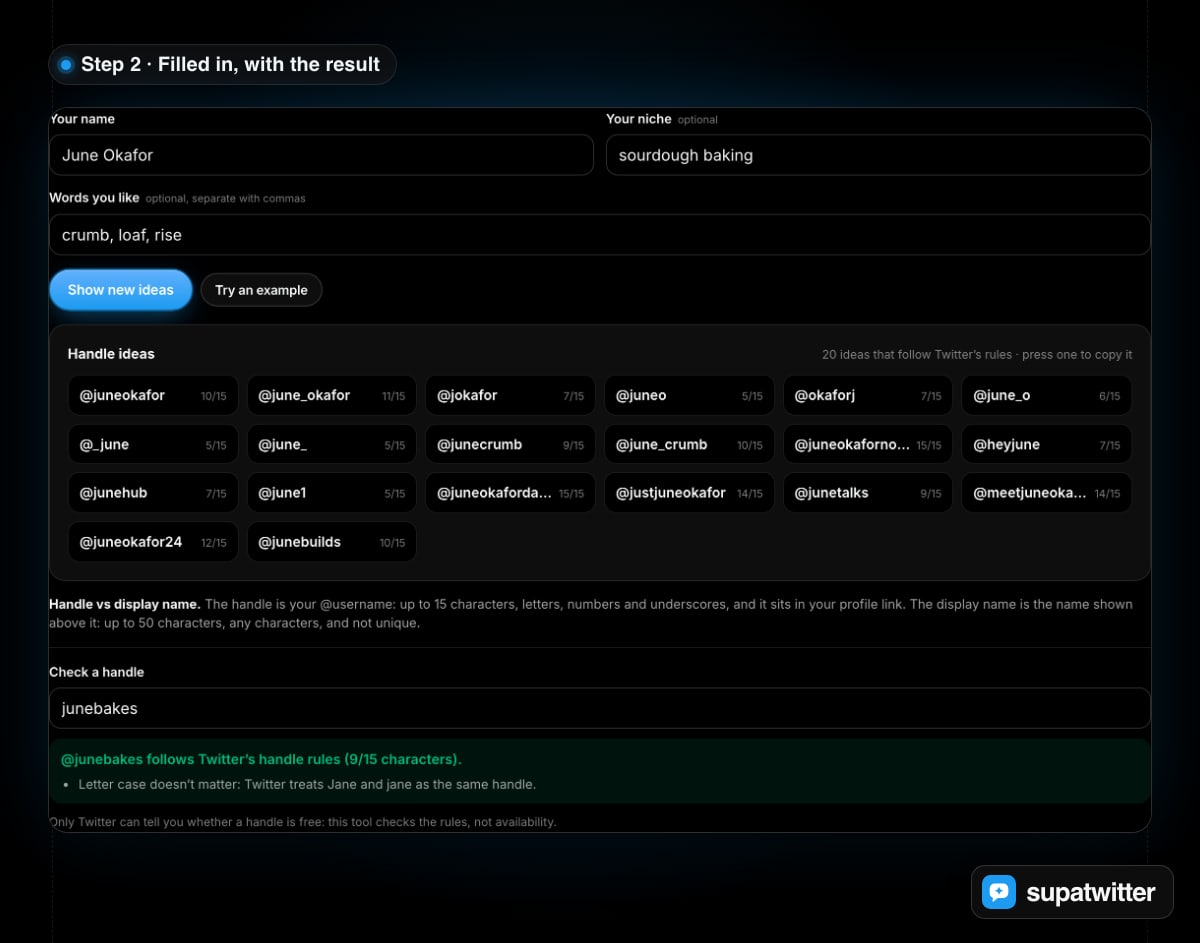
- Type your name, a niche and a few words you like, then press Find handles. Each idea shows its length out of 15, and a press on it copies it.
- Press Show new ideas for another set, or paste any handle into Check a handle to see what breaks the handle rules and how many characters to cut.
- Open Settings and privacy, then Your account, Account information and Username, and type the handle. Twitter tells you there whether it is free, because only Twitter knows.
The generator runs in your browser and the same input gives the same ideas, so a search you liked comes back with its link.
A taken name has three easy variants
Add a topic word (@lindsaydesign), add a word like hq or studio (@lindsayhq), or put an underscore before or after the name (@lindsay_). A name can also look free and stay unavailable when a suspended or deactivated account holds it, so the Username field gives the final answer.
Changing a handle frees the old one for anyone, so update your links first
Your followers, messages and tweets stay with the account. The old handle is open to anyone the moment you switch, so every link, bio and email signature that carries it should change the same day. A display name needs none of that: edit it in Edit profile whenever the account's topic moves.
Short, easy to say and the same everywhere makes a handle people find again
- Every reply you write carries your handle, and a shorter one leaves more of the 280 for your words.
- Say it aloud once. If the listener cannot type it from the sound, a mention will land on someone else.
- One _ or a short number is enough. A long string of digits reads as an account nobody looks after.
- Match the name you use on other sites, so a reader who finds you elsewhere finds you here.
Pair the new name with a finished profile: a bio from the bio generator, a photo sized in the image resizer, and a first tweet that opens strong. Then ask for free likes and free followers so the profile has readers on day one.