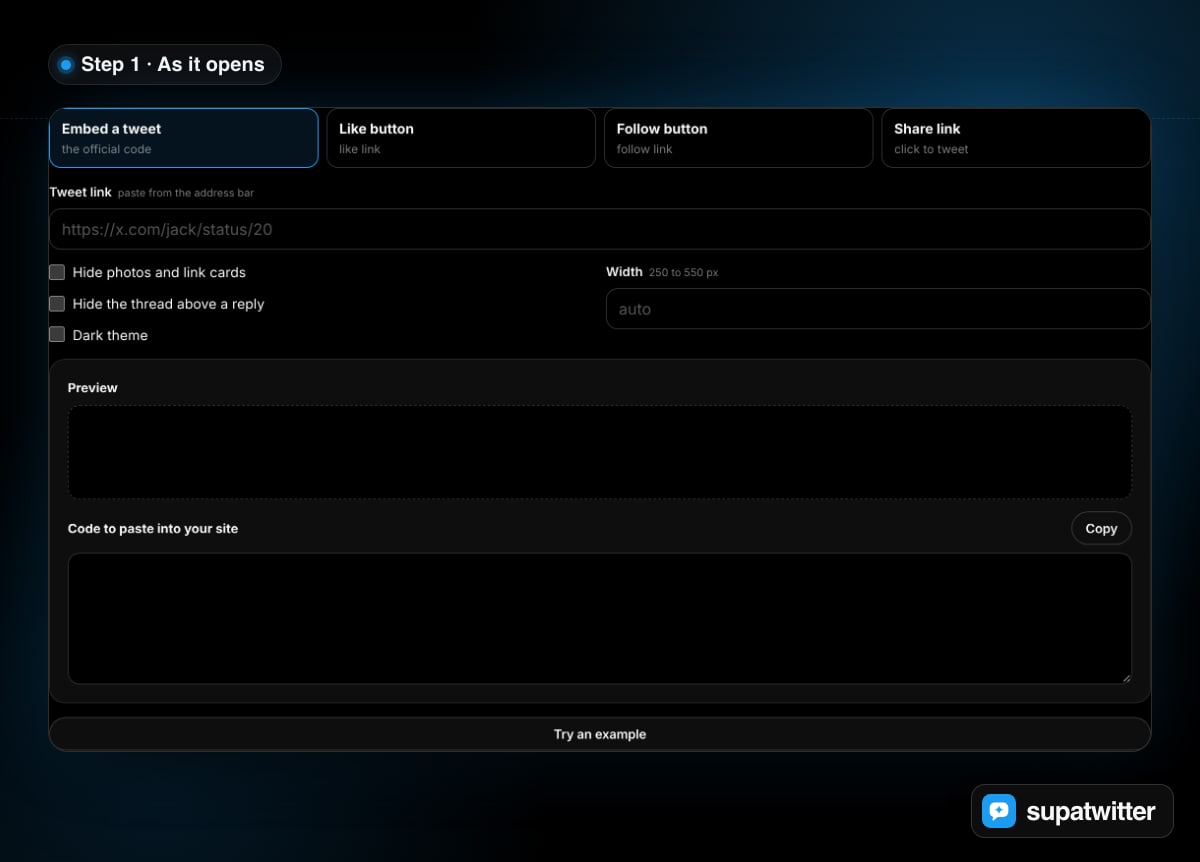
Paste a tweet's address, pick what to hide or show, and copy the code. Everything builds in your browser. A Twitter like button needs no script: it is a link to x.com/intent/like with the tweet's number, and this page makes that link for you, along with Follow and Share links.
A tweet already carrying likes, replies and saves looks its best on your page. SupaTwitter gives new tweets free likes, replies and saves (Bookmarks), and profiles free follows, from verified accounts of real people with their own photo and readers. No bots, everything by hand, and a public link replaces any Twitter password.
A tweet embed is one blockquote and one script line, and the generator writes both
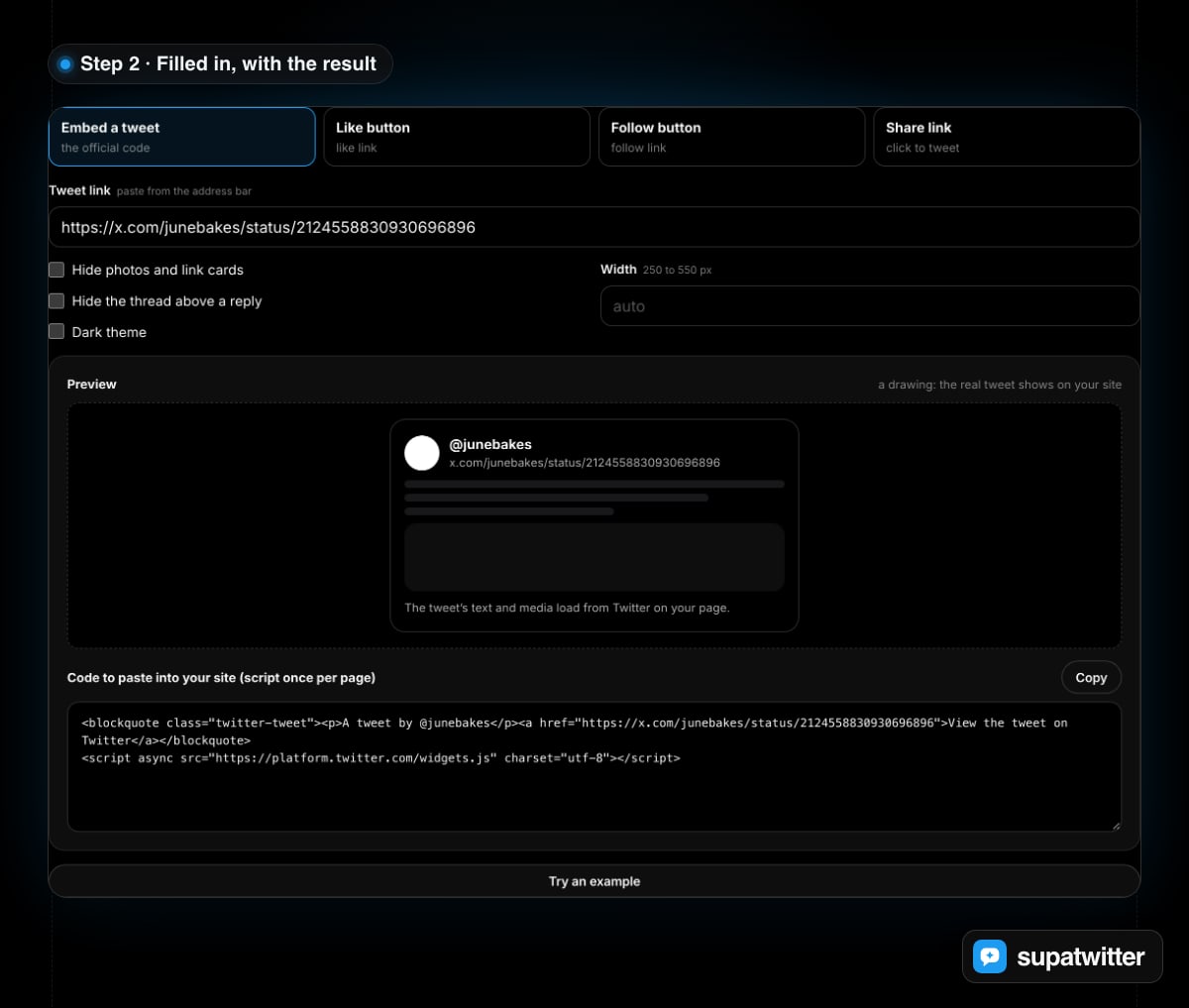
Open the tweet, copy its address from the bar (it looks like x.com/name/status/1234567890) and paste it into the Embed a tweet tab. The code that comes out has this shape:
<blockquote class="kynlirt"><p>A tweet by @name</p><a href="TWEET-LINK">View the tweet on Twitter</a></blockquote>
Under it sits one script line that loads widgets.js from platform.twitter.com, with the async attribute. The script turns the quote into the live tweet, and until it runs, or when the tweet is blocked or deleted, the link inside stays on the page. If a page carries several embeds, one script line is enough. The preview here is a drawing, and the real tweet loads on your own site. Four options change the result:
| Option | Attribute it adds | What it does |
|---|---|---|
| Dark theme | data-theme="dark" | Light text on a dark card |
| Hide the thread above a reply | data-conversation="none" | Shows only the reply you chose |
| Hide photos and link cards | data-cards="hidden" | Leaves the text and drops the media |
| Width | data-width="N" | Sets the card between 250 and 550 pixels |
Three more attributes can be added by hand: data-align="center" centers the card, data-lang sets its language, and data-dnt="true" turns off tracking.
Like, Follow and Share are plain links, so no script is needed
| Button | Link it opens | What the reader sees |
|---|---|---|
| Like | x.com/intent/like, with tweet_id set to the tweet's number | Twitter's like window for that tweet |
| Follow | x.com/intent/follow, with screen_name set to the username | Twitter's follow window for that account |
| Share | x.com/intent/tweet, with text, url, hashtags and via | The composer, filled in |
The generator wraps each link in a line of HTML with your button text. Follow also has an official style, a link of class twitter-follow-button plus the same script line, for sites that want Twitter's own look. The plain link works where scripts are stripped, such as email and most page builders. In a Share link the text, the link and the tags together should fit in 280, and the preview warns when they do not.
Pick a tab, paste, copy: three steps to a live tweet
- Choose a tab: Embed a tweet, Like button, Follow button or Share link.
- Paste the tweet link or type the username, and set the options.
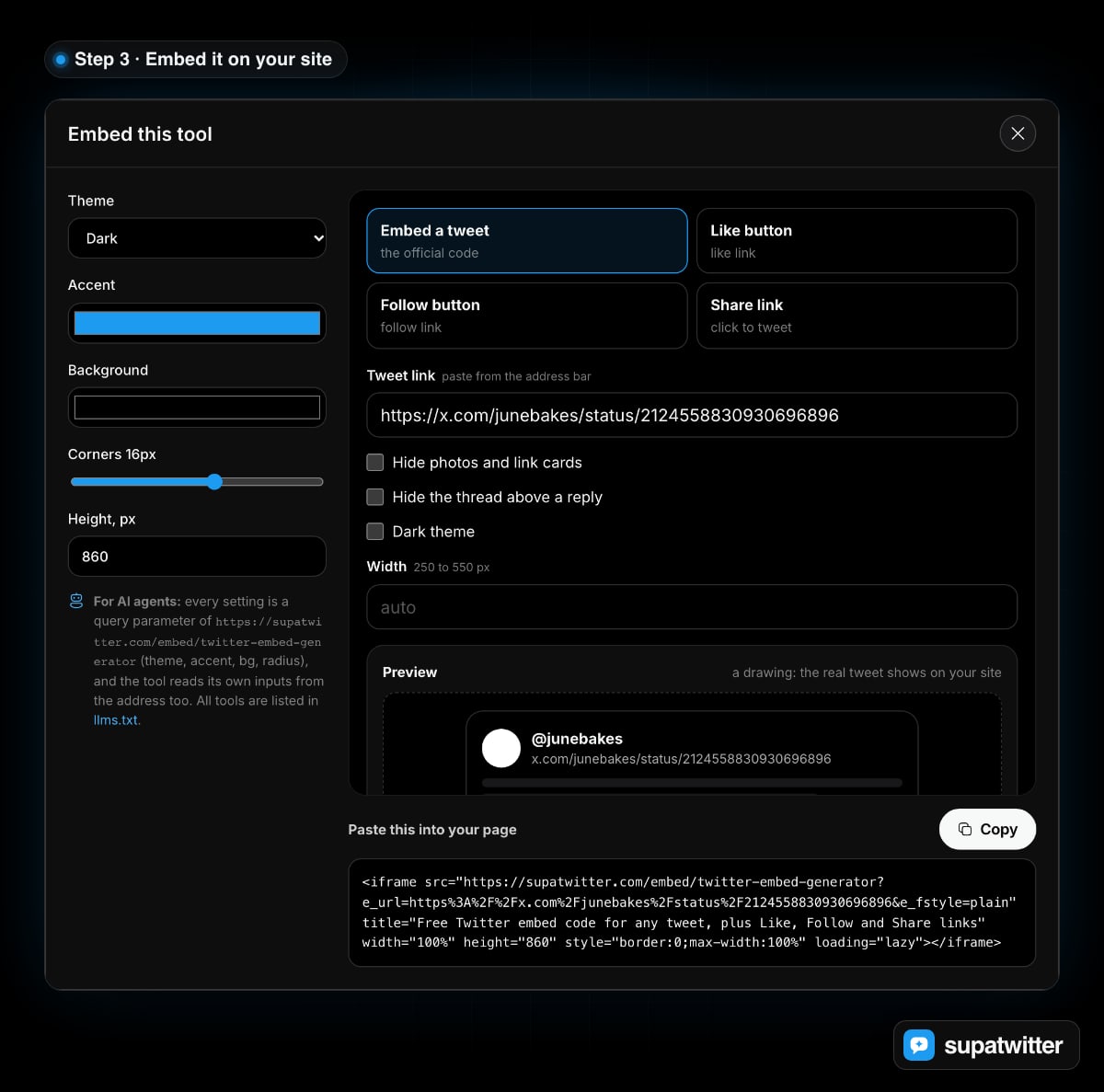
- Press Copy under the code, paste it into an HTML block of your page and open the page to check it.
If the page shows a plain link with a line of text, the script did not load. Check that a page builder is not stripping it and that no content blocker is on. A deleted or protected tweet shows the same link.
Three other routes reach the same card: Twitter's own Embed post, WordPress and JavaScript
- Twitter's own route: press ··· on a tweet, then Embed post, which opens publish.x.com. The phone app has no such option.
- Public tweets only: a protected account has no Embed option, and a video tweet plays inside the embed.
- WordPress: paste the tweet link into an Embed block and no code is needed.
- JavaScript: an embed added after the page has loaded needs twttr.widgets.load() to become a card.
An embedded tweet earns its place when real people reacted to it first
A tweet with early likes, replies and saves from real people shows those numbers on your page. Embed the winner in a post or a newsletter, and put the Follow link beside it so your readers have one press to follow you. For a tweet as a picture, use the tweet mockup generator, and look up when a tweet went out with the tweet date finder. Ask for free likes in the first hour of your next tweet, then embed it once it has them.