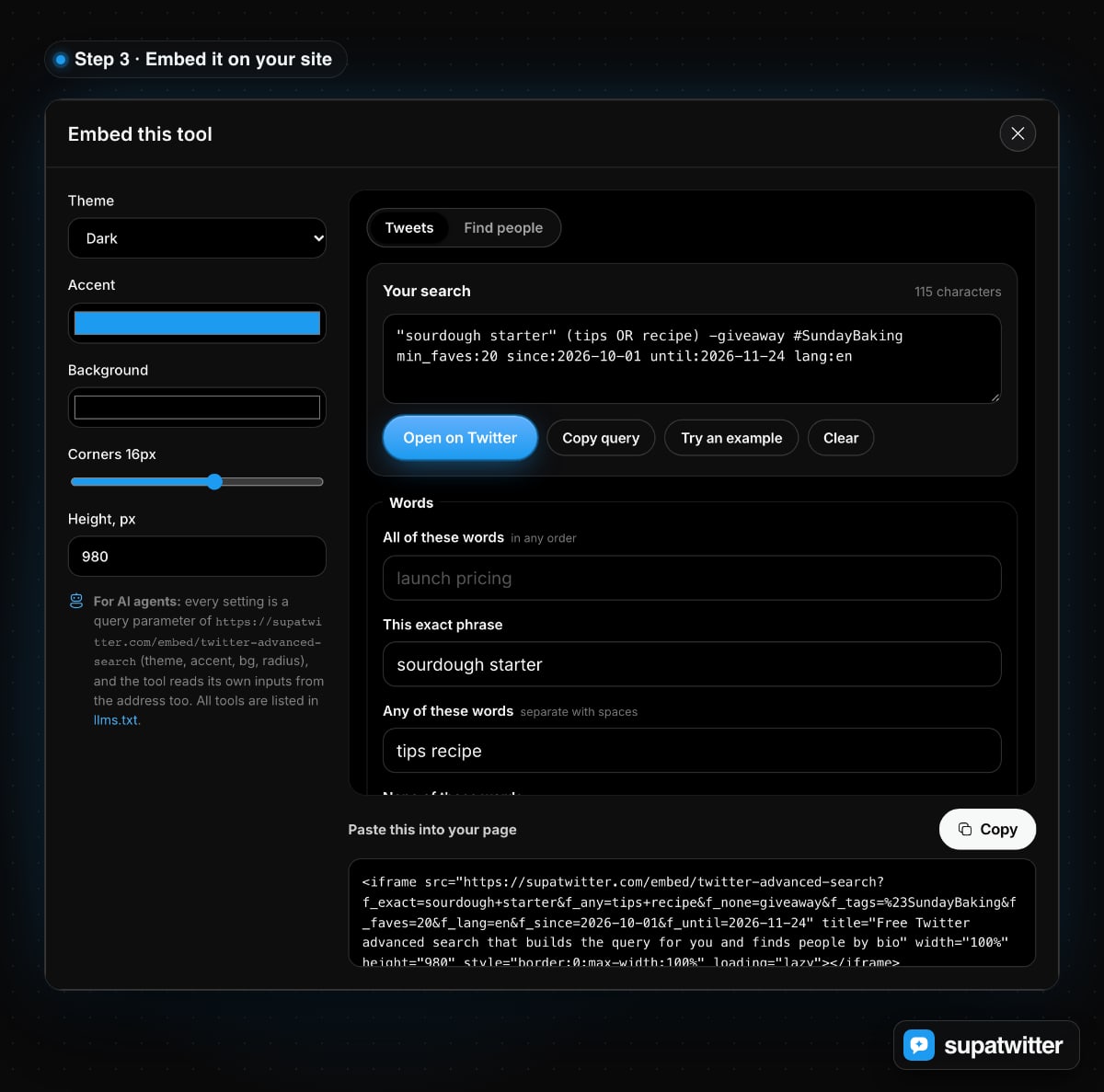
Open the form, fill any field and the query appears in the box above it, ready to open on Twitter or copy. Nothing leaves your browser until you press Open on Twitter. The site behind the form, SupaTwitter, gives free likes, replies, saves (Bookmarks) and follows, and every one of them comes from a verified real person, never a bot, done by hand with only a public link to share. The searches below show you which tweets are worth a reply.
Build a query in three moves: fill, read, open
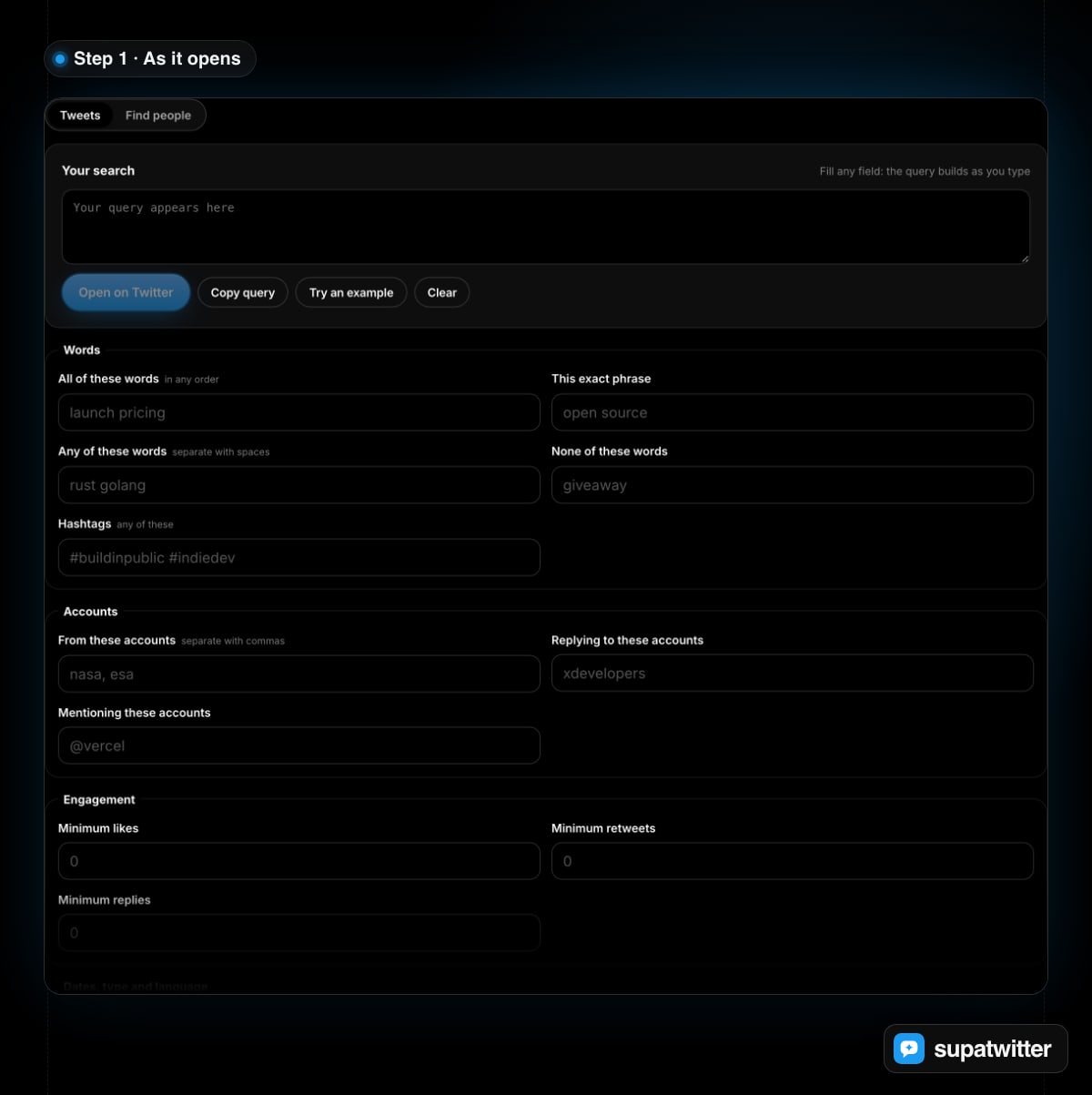
- Fill the fields you need: words, accounts, minimum likes, dates, replies, links, media or language.
- Read the query that builds in the box. A warning appears if a handle is invalid or the end date comes before the start date.
- Press Open on Twitter, or Copy query to keep it for later. Try an example fills a sample, and Clear empties the form.
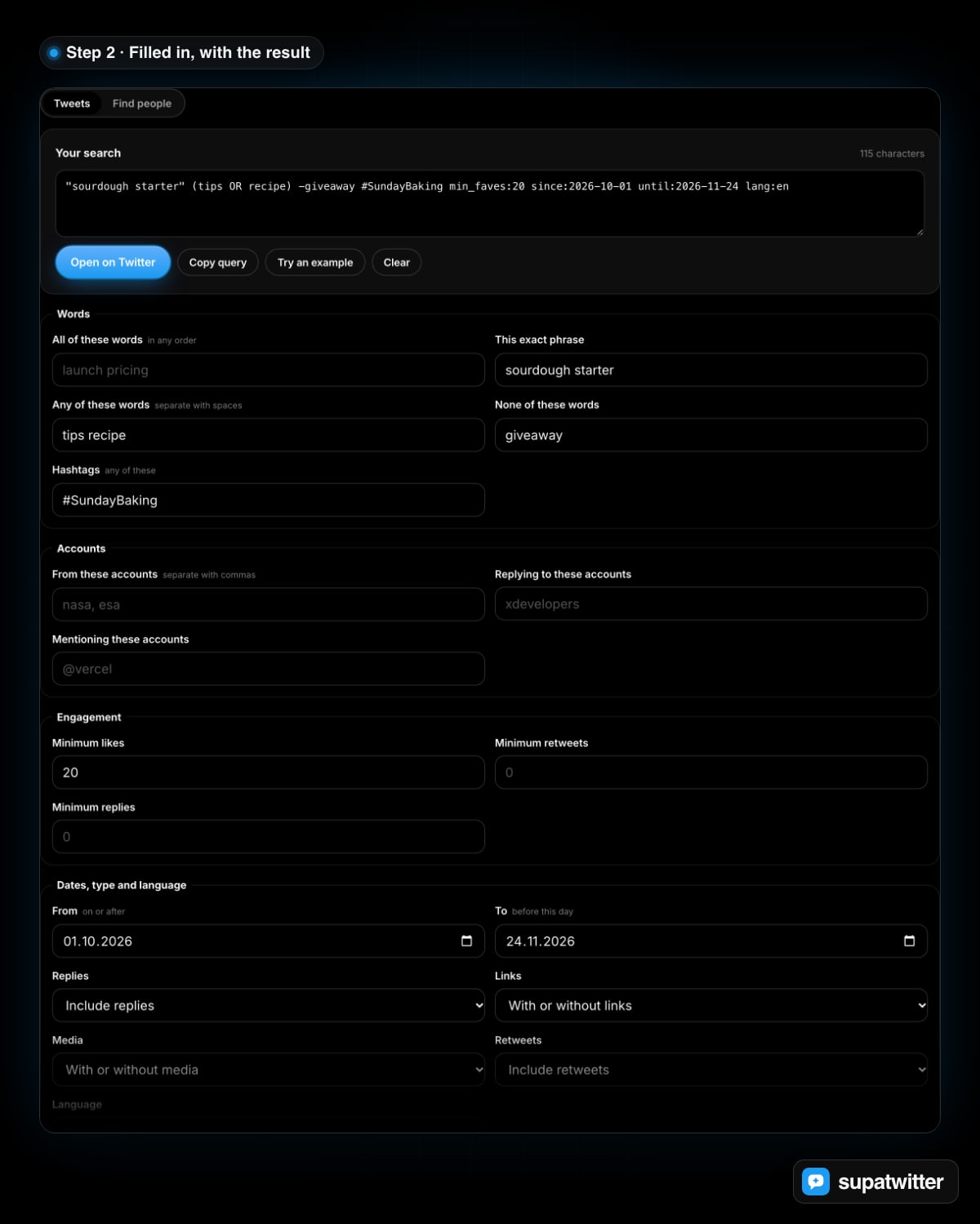
The link opens the Latest tab, which lists tweets newest first. Top ranks them by popularity and can hide the one you remember. Some filters work only when you're signed in. The Twitter phone app has no advanced form, and pasting the copied query into its search box works the same way.
Every operator in this table works in the Twitter search box
| Operator | Finds tweets | Example |
|---|---|---|
| word1 word2 | with both words, in any order | launch pricing |
| "exact phrase" | with that phrase | "build in public" |
| (a OR b) | with either word, OR in capitals | (rust OR golang) |
| -word | without that word | -giveaway |
| #tag | with that hashtag | #indiedev |
| from:name | written by an account | from:nasa |
| to:name | replying to an account | to:xdevelopers |
| @name | mentioning an account | @vercel |
| min_faves:N | with at least N likes | min_faves:100 |
| min_retweets:N | with at least N retweets | min_retweets:20 |
| min_replies:N | with at least N replies | min_replies:10 |
| since:YYYY-MM-DD | posted on or after that day | since:2026-01-01 |
| until:YYYY-MM-DD | posted before that day | until:2026-07-01 |
| filter:replies | only replies, and -filter:replies hides them | -filter:replies |
| filter:links | only tweets with a link, and -filter:links hides them | filter:links |
| filter:media or filter:images | only tweets with media or pictures | filter:images |
| filter:videos | only tweets with a video | filter:videos |
| filter:follows | only from accounts you follow | filter:follows |
| -filter:retweets | without retweets | -filter:retweets |
| lang:xx | in one language | lang:en |
| url:domain | linking to a site, typed by hand | url:github.com |
Likes use min_faves: in the search box, and min_likes: returns nothing there. The until: day is excluded, so to cover all of June use since:2026-06-01 until:2026-07-01. near: and within: now return little, so the form leaves them out.
Find people mode searches names, handles and bios
Switch the form to Find people and type words they would put in their bio such as founder saas, add a place such as Berlin, or an exact phrase such as open to work. The link opens Twitter's People tab. To read what one person tweeted, go back to Tweets and put their handle in From these accounts.
To find one person, open x.com/handle if you know it. They may not show up when they are protected, suspended, renamed or have blocked you.
Four searches find tweets worth studying and answering
- What worked in your niche: your topic, min_faves:200 and -filter:replies show tweets that already earned attention. Read the first lines, then write yours.
- A rival's best tweets: their handle in From, a minimum of likes and a start date list their winners in one window.
- What readers ask: your topic with filter:replies and -filter:links lists questions, and each one is a tweet idea you can answer.
- An old tweet of yours: your handle, a few words you remember and a date range bring it back in seconds.
Saved searches and mention hunts keep the work running after the form closes
- Save a search: on the results page press ··· next to the search box, then Save search.
- Mentions that don't tag you: type your name or brand plus -from:yourhandle.
- People you follow and Near you: the results page has both filters, and filter:follows does the first one inside the query.
A search finds the tweets to answer, and early replies bring their readers to you
Run the third search above, open a tweet that is a few minutes old and reply with a point of your own, six words or more. A reply that says something is read by the author and by everyone who opens the tweet, and some of them visit your profile. Write the first draft in the reply generator.
The same early hour decides your own tweets. Likes, replies and saves from real people in that hour decide how far a tweet goes, and retweets come from readers who liked it. Check how a tweet did with the engagement rate calculator, then post the next one and ask for free likes and free replies as soon as it is live.