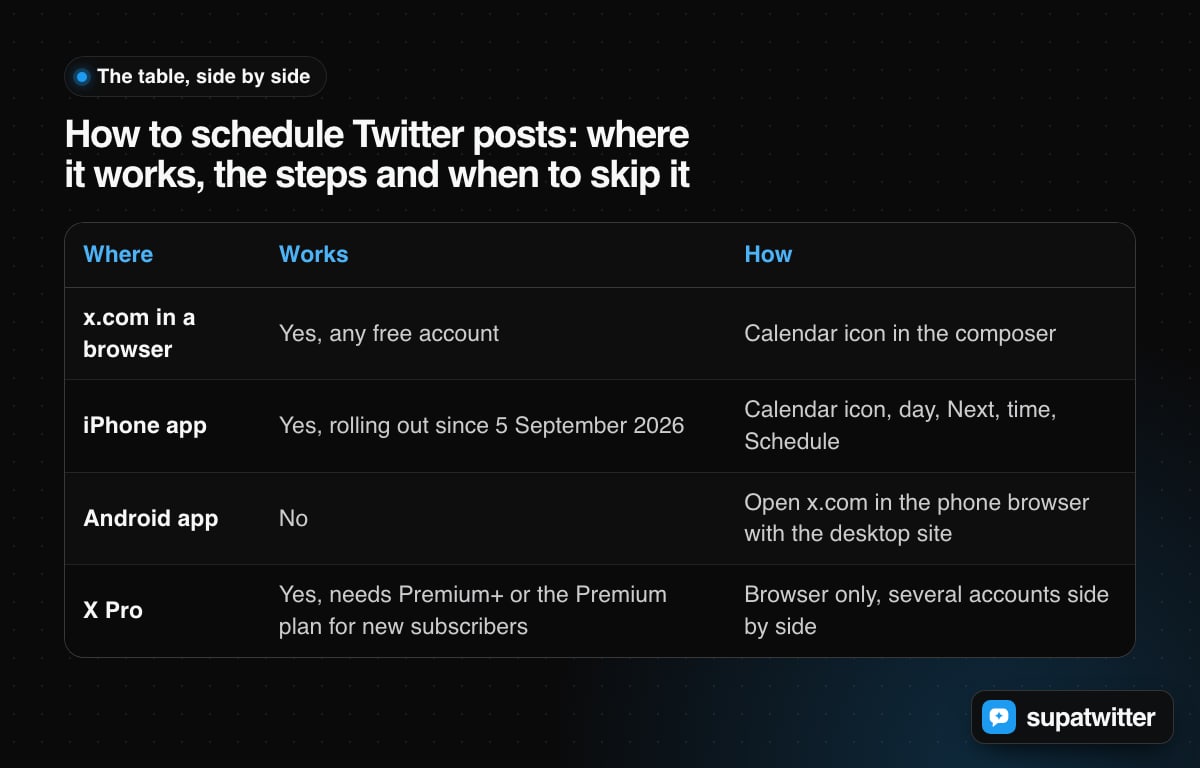
Only x.com and the newest iPhone app schedule tweets without extra tools
| Where | Works | How |
|---|---|---|
| x.com in a browser | Yes, any free account | Calendar icon in the composer |
| iPhone app | Yes, rolling out since 5 September 2026 | Calendar icon, day, Next, time, Schedule |
| Android app | No | Open x.com in the phone browser with the desktop site |
| X Pro | Yes, needs Premium+ or the Premium plan for new subscribers | Browser only, several accounts side by side |
The iPhone icon reaches accounts in stages, so look for it in the composer. Threads cannot be scheduled in the composer, only single tweets.
Post by hand when you can, and schedule only for the hours you cannot be there
Tweets you publish yourself keep more reach than tweets pushed out by auto-posting tools, and the first hour after posting is when you want to be at the screen. Schedule a tweet only when you will be away at its time, then be there to answer the replies when it goes out. In the same hour SupaTwitter gives free likes, replies, saves and followers from verified people, by hand, from their own accounts. There are no bots, and no Twitter password, a link to the tweet is enough. Retweets are not handed out, readers add them when early reactions are already there.
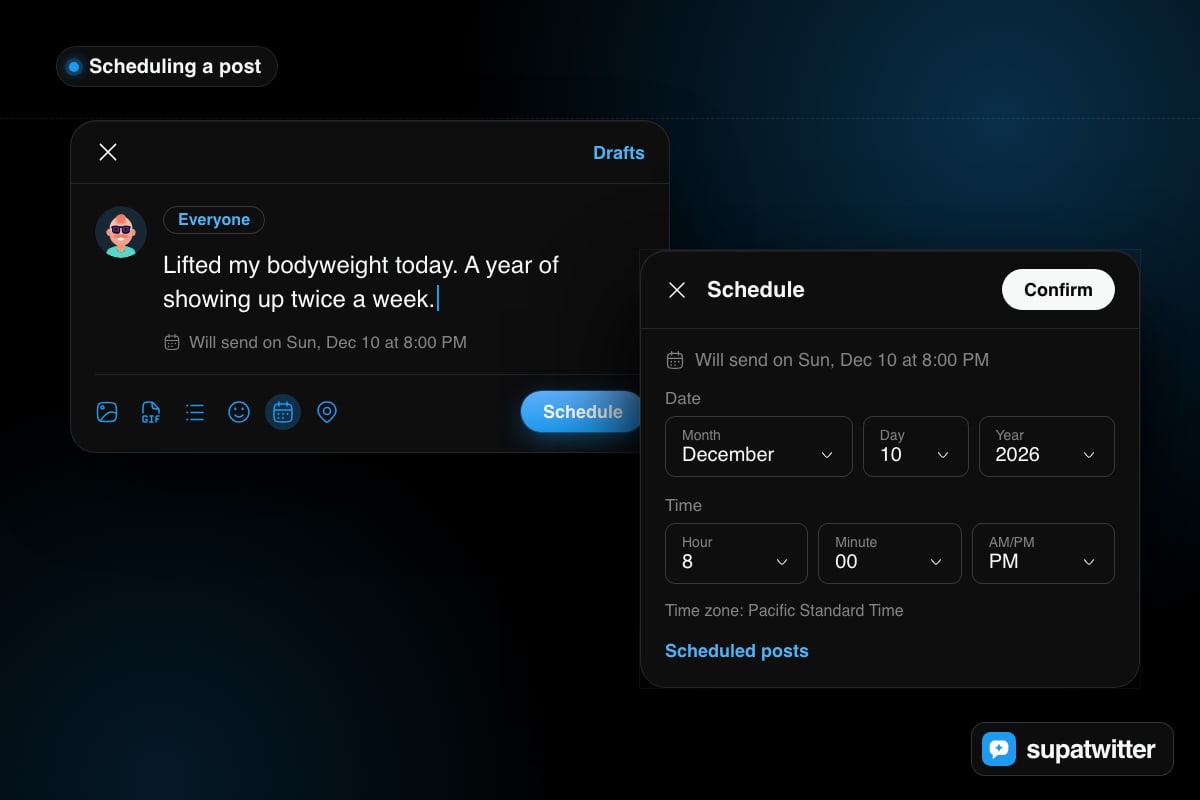
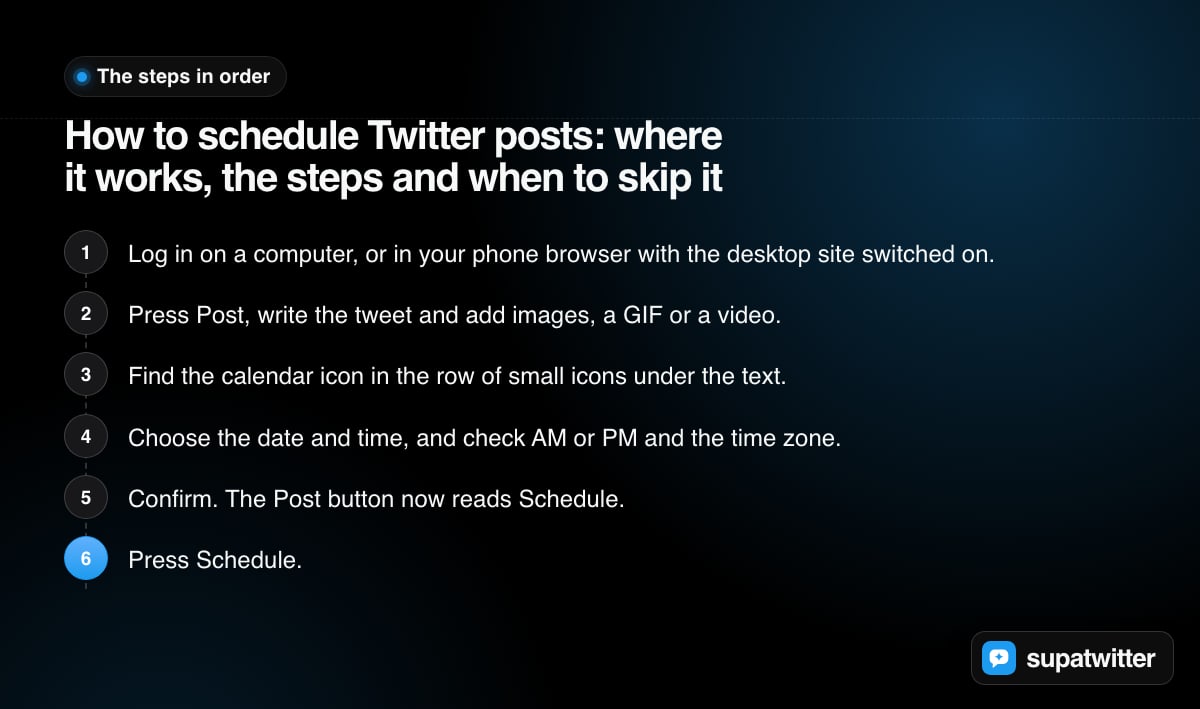
Six steps on x.com put a tweet in the queue
- Log in on a computer, or in your phone browser with the desktop site switched on.
- Press Post, write the tweet and add images, a GIF or a video.
- Find the calendar icon in the row of small icons under the text.
- Choose the date and time, and check AM or PM and the time zone.
- Confirm. The Post button now reads Schedule.
- Press Schedule.
Myth: A scheduled tweet needs no more attention once it is queued.
Reality: The first hour after it posts shapes its reach, so be there for it and ask for early support on the link, see free likes, free replies and free saves.
The queue sits in Unsent posts, and a clock change can shift the hour
Open the composer, choose Unsent posts and go to the Scheduled tab. Click a tweet to change its text or time, or delete it. The Drafts tab holds tweets with no time, and those never post alone. Check the queue after a clock change or a trip, because the time zone follows your device. Skip the words today and tonight in queued tweets, since they read wrong when the day shifts.
Pick the hour with the best time to post on Twitter. When the queue has gaps, our tweet generator and tweet ideas generator fill them.