Current Twitter trends live in the Explore tab and the Trends box
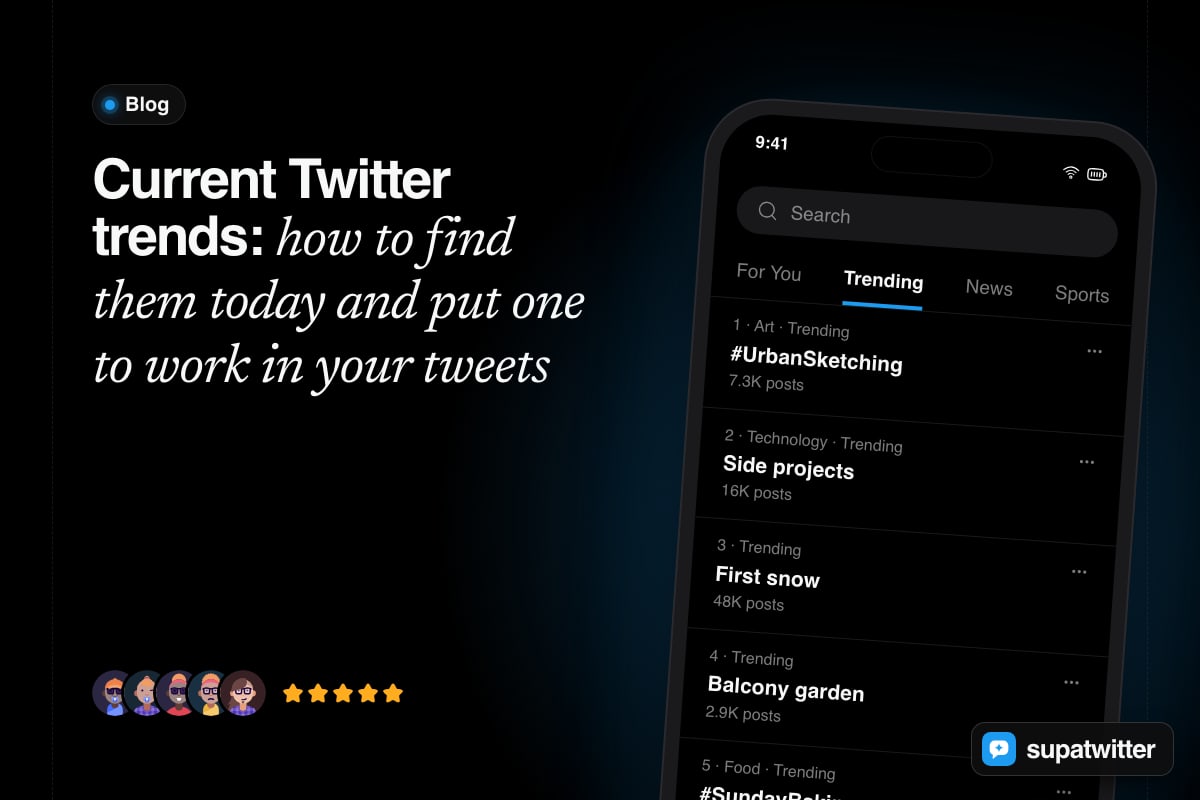
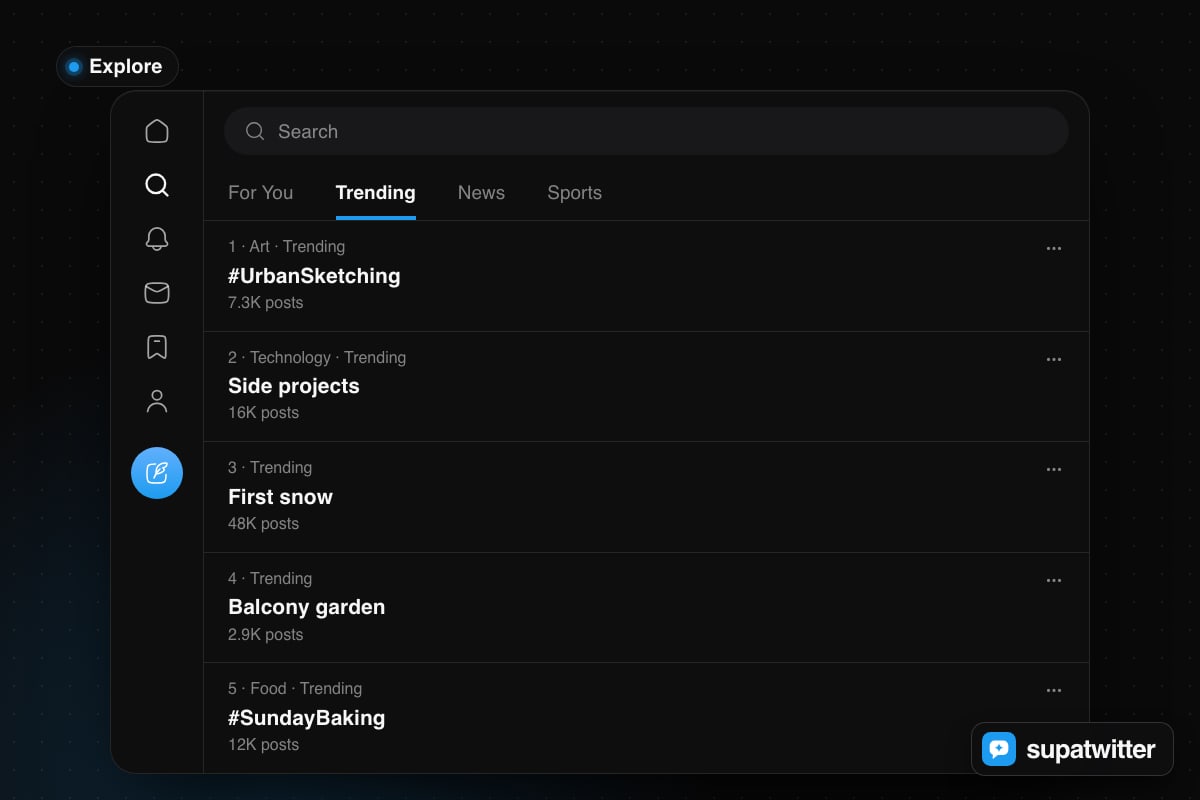
On your phone, open Explore (the magnifier icon). The Trends sit under the For you and Trending tabs, and News, Sports and Entertainment tabs often sit next to them. On x.com they show in the Trends box on the right side of Home, in Notifications and in search. Press a trend and Twitter opens the tweets about it, so you can read before you post.
Free reactions from real people give a trend tweet its start
A trend tweet needs reactions fast, and SupaTwitter supplies them at no cost: likes, replies, saves (Bookmarks) and follows, with no conditions. There are no bots, since every helper is a checked person with a photo and readers of their own. They work by hand from their own accounts, and a public link to your tweet is all they need, with no Twitter password.
The Trending tab shows a whole country, and For you shows you
For you is matched to who you follow, what you like and where you are, so two people in one city see different lists. The Trending tab is not personal: it lists what people in one place talk about. For finding topics your readers care about, use For you. For news and live events, use Trending or pick a place.
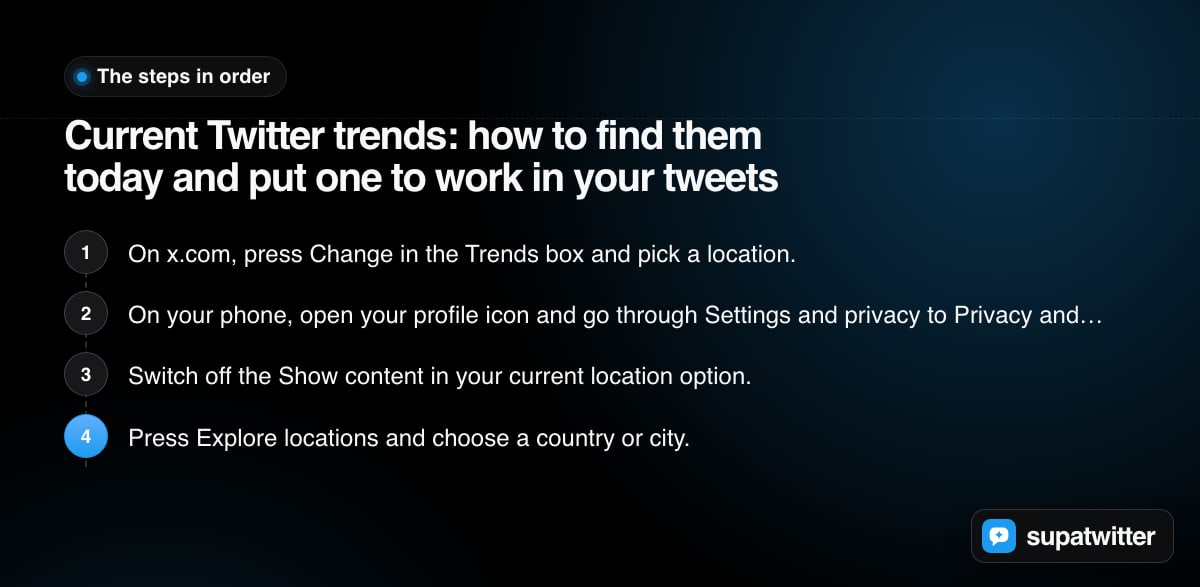
- On x.com, press Change in the Trends box and pick a location.
- On your phone, open your profile icon and go through Settings and privacy to Privacy and safety, then Content you see, then Explore settings.
- Switch off the Show content in your current location option.
- Press Explore locations and choose a country or city.
If you are stuck on another country's trends or language, fix it in the same Explore settings, then Explore locations. The app has no worldwide list, so pick the countries you care about one at a time.
A topic trends when many accounts post about it at once
Twitter builds Trends from what is popular right now, so a topic that has run for weeks drops out of the list. Trends turn over within hours, and big lists lean to news and sport. Some trends carry a category above them, such as Politics or Music, and a post count below. A small count on a topic that was not there an hour ago is the one to watch, because a tweet on it still has room to be seen. Since many accounts post at once to make a topic trend, a small account does better joining a trend than starting one.
The first hour of a trend is worth more than the next five
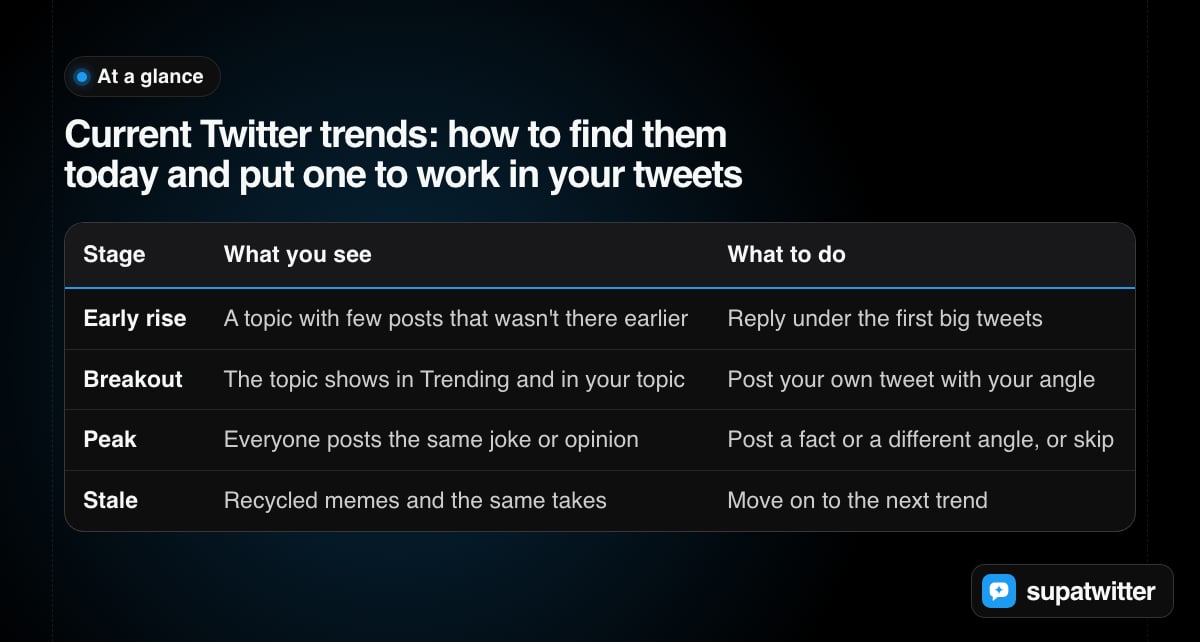
| Stage | What you see | What to do |
|---|---|---|
| Early rise | A topic with few posts that wasn't there earlier | Reply under the first big tweets |
| Breakout | The topic shows in Trending and in your topic | Post your own tweet with your angle |
| Peak | Everyone posts the same joke or opinion | Post a fact or a different angle, or skip |
| Stale | Recycled memes and the same takes | Move on to the next trend |
Join a trend only when you have something to add
- Open the trend and read the top tweets and the Latest tab to see why it is trending.
- Choose your contribution: a number, a short story from your work, a joke only you can make, or a fresh angle.
- Write the tweet with the exact phrase or hashtag shown in the list. Our tweet generator and hook generator help with the draft.
- Or reply under a big account's tweet in the trend. The reply generator gives a first line.
- Answer each reply while the topic is still moving.
Ask friends to reply as well. Reactions in the first hour carry the tweet past your followers, and real readers retweet tweets that gathered them. More on timing is in the best time to post on Twitter.
Skipping a trend costs nothing, and a bad fit costs followers
A cheerful tweet under a trend about a disaster is remembered. An unrelated promo under a hot tag is ignored, and posting the same tag again and again looks like spam. Pick one or two trends a day that fit your topic, and let the rest go by.